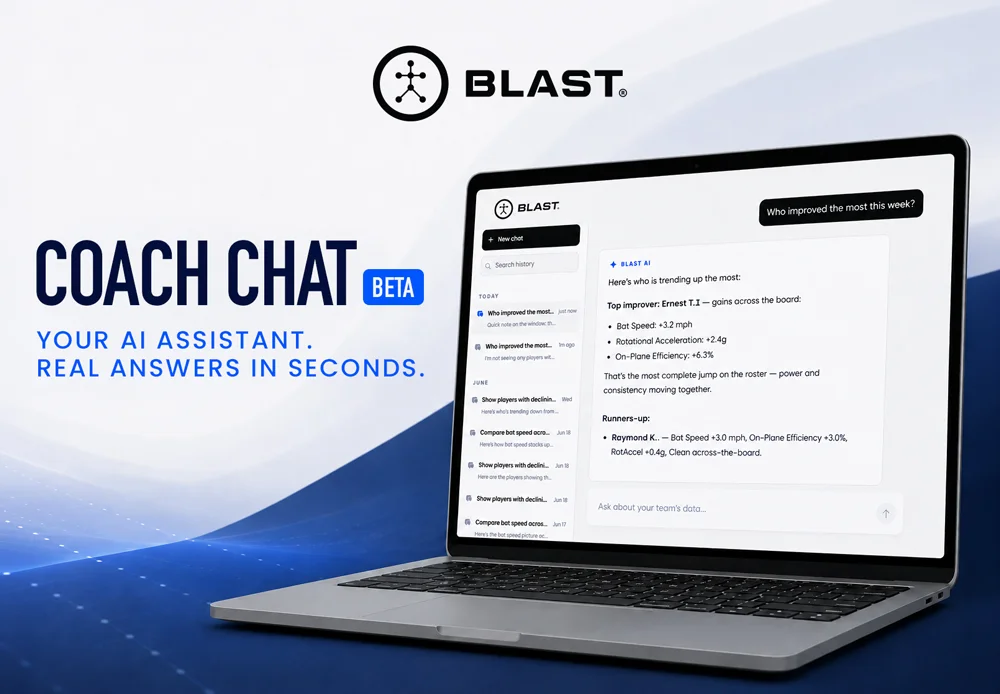
Coaches have more swing data than ever and never enough hours to make sense of it. Coach Chat is a new AI assistant inside Teams Hub that turns your players’ Blast data into plain-English answers, in seconds.
Every coach using Teams Hub has access to a growing library of player swing data. Bat speed trends. Session frequency. Week-over-week improvement. The data is there — but finding specific answers still means opening dashboards, applying filters, and cross-referencing numbers across multiple screens.
That friction adds up. By the time you’ve tracked down the answer to a question like “who improved the most this week?” you’ve spent minutes you didn’t have clicking through menus that weren’t designed for how coaches actually think.
We built Coach Chat to close that gap.
What Is Coach Chat?
Coach Chat is a new AI assistant built directly into teams.winreality.com. It reads the Blast swing data connected to your account and responds to plain-English questions with structured, actionable answers including ranked lists, flagged outliers, and benchmarks drawn from your actual roster.
There’s nothing to install and no new account to create. If you’re an active Teams Hub user, Coach Chat is already there, waiting for your first question.
What Can You Ask?
Coach Chat is designed to answer the questions coaches are already asking, just faster. Here are a few places to start:
- “Who improved the most this week?”
- “Compare bat speed across my roster”
- “Show players with declining metrics”
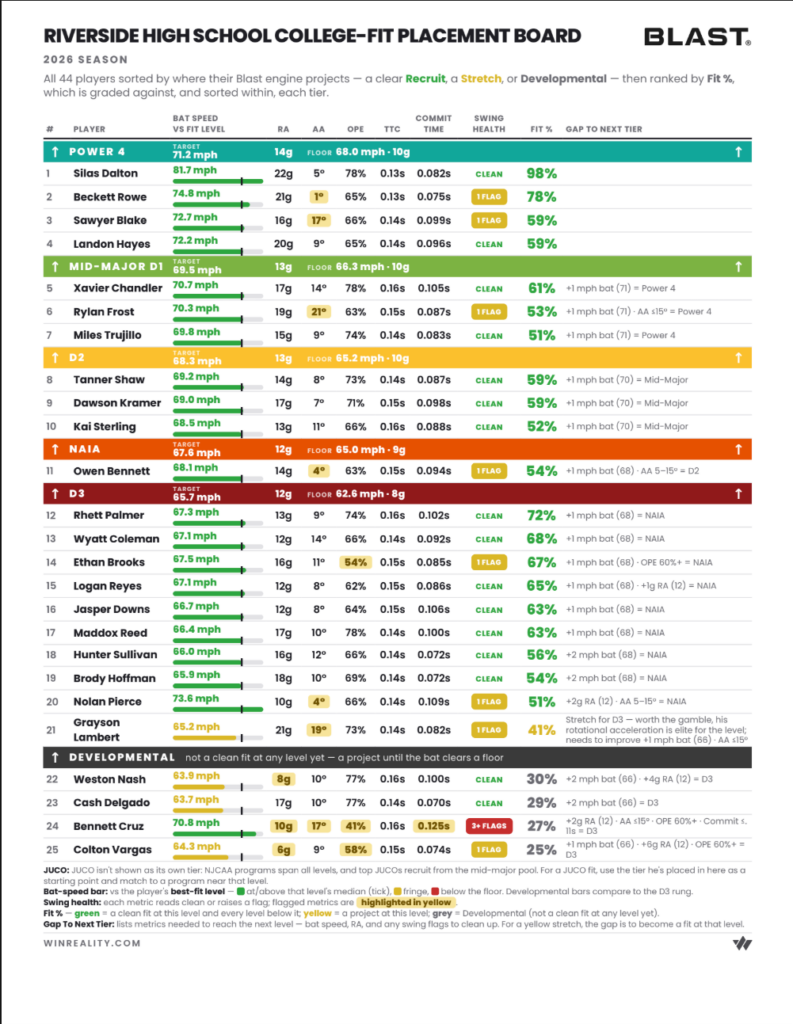
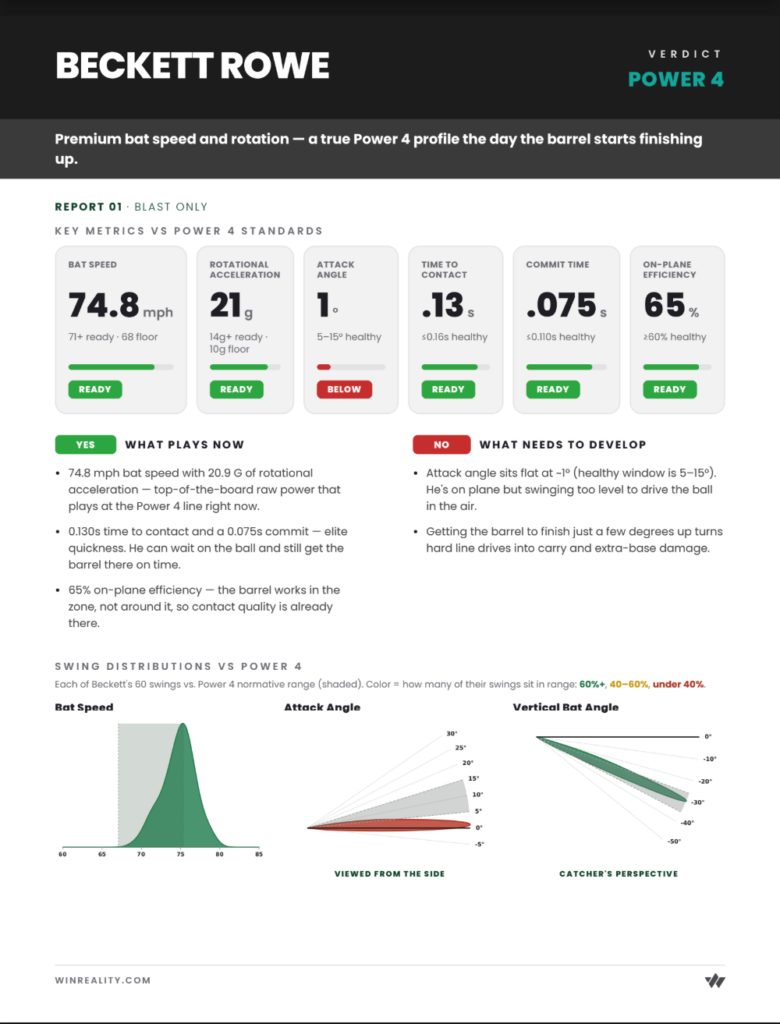
- “Generate a Blast Batting Report”
These are starting points. Coach Chat can go deeper on any player, compare specific date ranges, surface outliers, or pull benchmarks, all from the same conversation. You can follow up naturally, the same way you’d ask a question out loud.
See It in Action
Here’s what a typical Coach Chat response looks like generated from a real question about bat speed improvement over the past seven days.
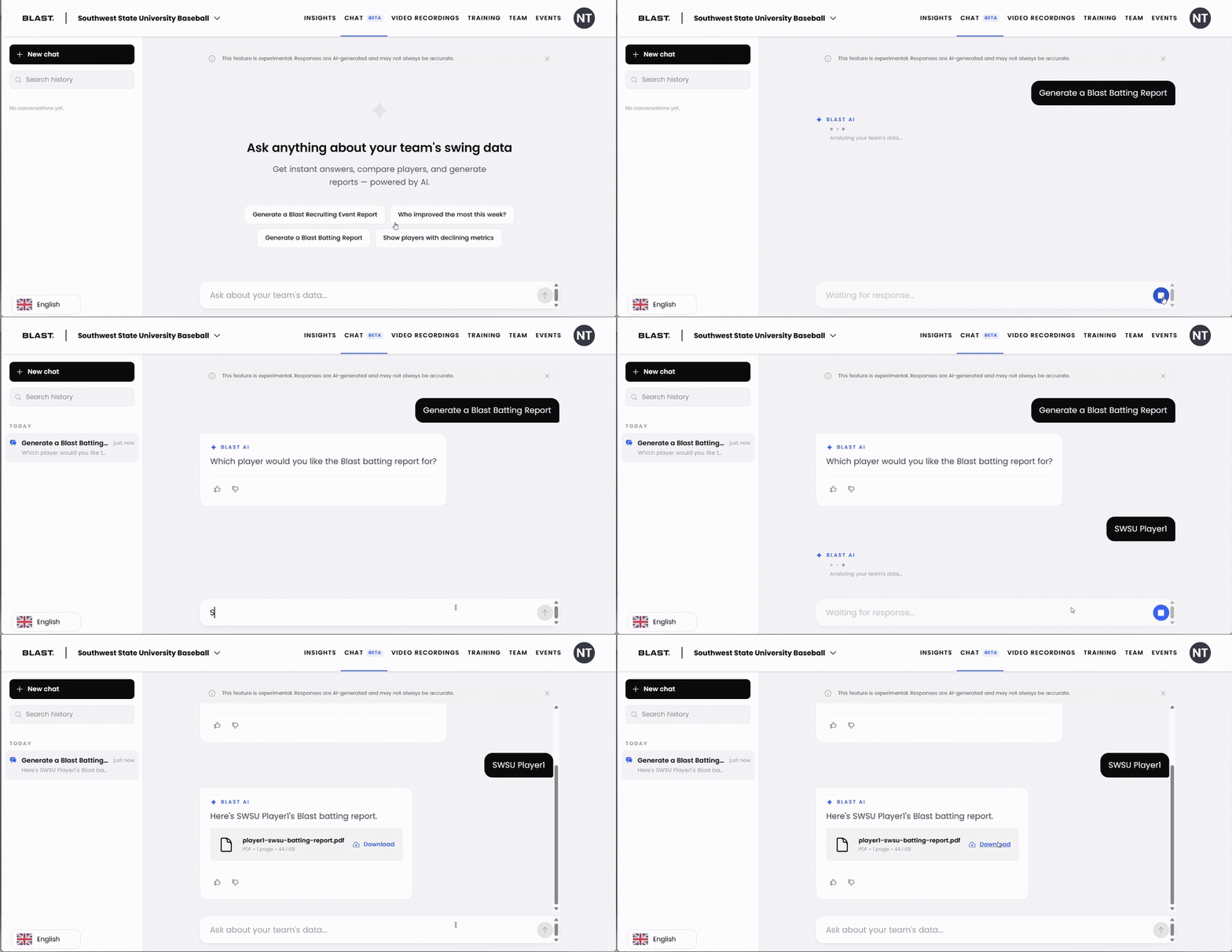
That answer takes seconds. And if you want to go deeper to understand what’s behind a decline, pull a longer time window, or generate a full report, you can ask that follow-up in the same conversation.
How It Works
- Log in to Teams Hub. Go to teams.winreality.com with your existing account, no new login required.
- Open Coach Chat. Find it in the Teams Hub navigation. It’s live for all active Teams Hub users today.
- Type your question. Ask anything about your players in plain English, or tap one of the suggested prompts to get started.
- Get an instant, structured answer. Ranked lists, benchmarks, flagged outliers and an offer to go deeper on any player with a follow-up.
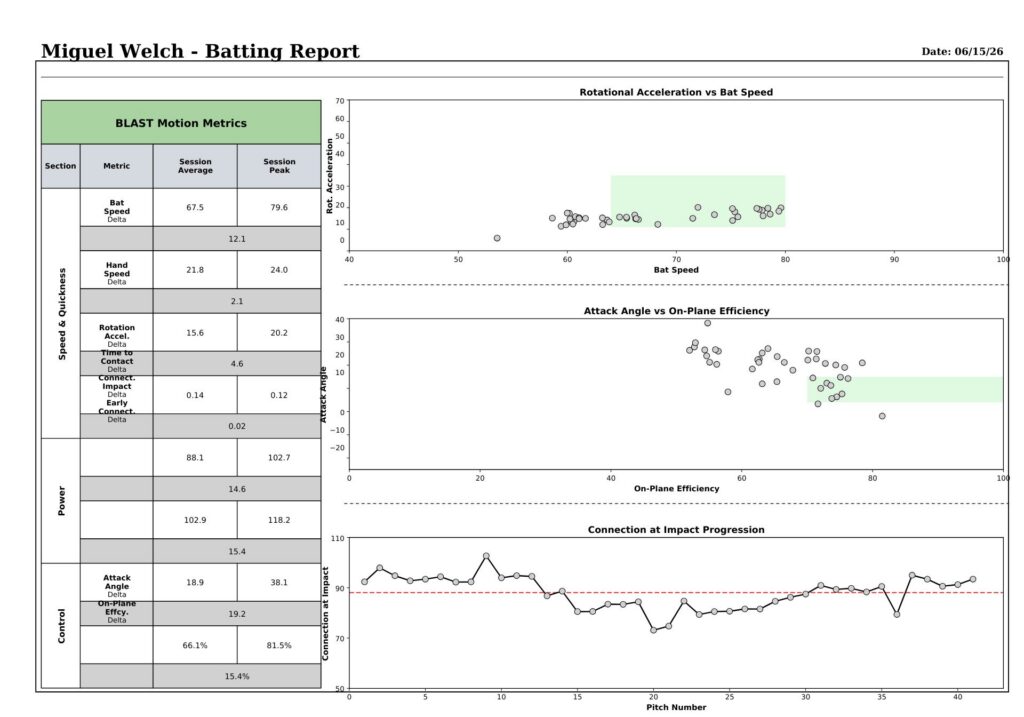
What Reports Can You Get?
Here are a few examples of what you can see inside of Coach Chat.
Who Is Coach Chat For?
Coach Chat v1 is built around hitting and swing data, making it most useful for hitting coaches, head coaches managing offensive development, and private instructors tracking player progress over time. It works whether you have two players or twenty and the questions scale with your roster.
This first release is scoped to Blast bat sensor data. We’re already working on broader data coverage, and we’ll share updates as new question types come online.
A Note on Beta
Coach Chat is in beta. Responses are AI-generated and may not always be accurate. We’re actively improving the system and the best way to make it better is to hear from coaches using it in the real world. If something looks off, let us know. We read every message.
What’s Next
Coach Chat is the start of a longer investment in making Teams Hub smarter for the coaches using it every day. We’re working on expanding the data sources it can access, improving response accuracy, and adding question types based on what coaches are actually asking.
If there’s a question you wish you could ask about your players’ data, tell us. Reply to this post, send a message through Teams Hub, or reach out directly. Your feedback is shaping what Coach Chat learns to do next.
Coach Chat is live now at teams.winreality.com. No update required. Just log in and ask your first question.