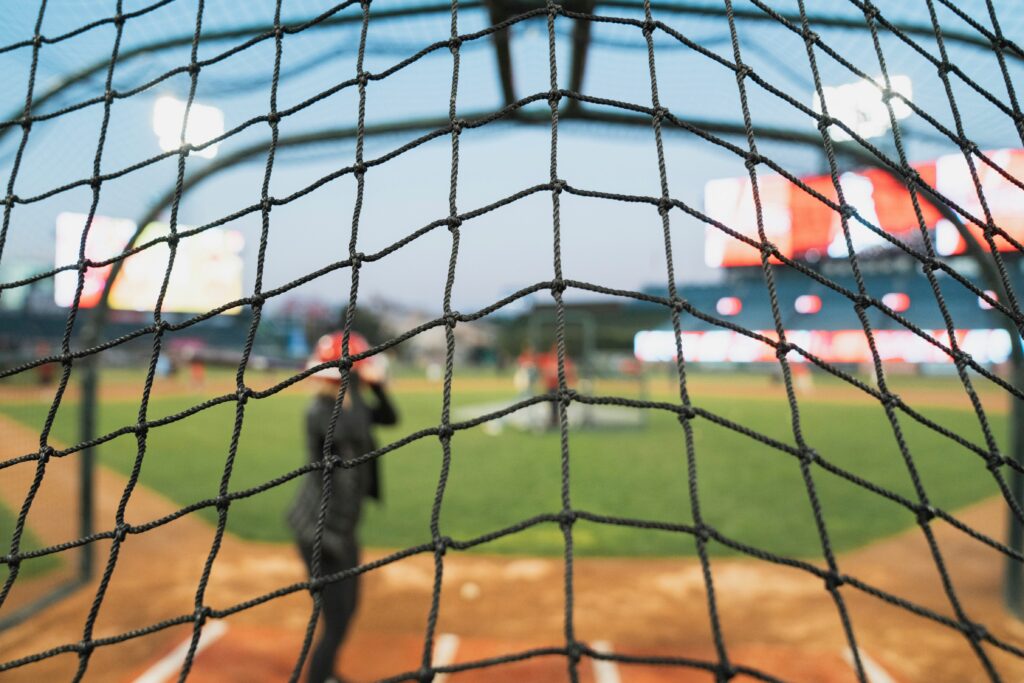
October rolls around and the cage closes. The field gets muddy. Your backyard is too small, the weather won’t cooperate, and next season is already four months away. Every hitter looking for a batting cage alternative at home either falls behind or pulls ahead in that window depending on how they train.
The good news: you do not need a batting cage to build a complete hitter. You need the right setup for the right skills, and one tool that covers the part almost every at-home training setup misses entirely.
The Short Answer
Yes, you can replace most batting cage time at home. A tee and net cover mechanics and contact reps. Soft toss or front toss adds rhythm and adjustability. What neither covers, and what cages themselves often miss, is game-speed pitch recognition, live release points, pitch movement, and swing decisions under count pressure. That is exactly what TrainVR is built for.
If your home setup only includes a tee and a net, you are building half a hitter. Add game-speed visual reps and you have a complete off-season training system.
What a Batting Cage Actually Trains and What Most Home Setups Miss
Most hitters think “batting cage = hitting practice.” That framing costs them. A batting cage is a containment system, not a training system. What you do inside it determines what you develop.
Break hitting down into three trainable skill areas and suddenly it becomes clear what to build at home and what most setups are leaving on the field.
A. Mechanics and Swing Feel
Mechanics are built through repetition without the ball getting in the way. The Load Phase, Stride Phase, Swing Phase, and Finish Phase can all be trained at home with zero ball flight required.
Dry swings in front of a mirror, tee work, and shadow reps in the garage will cover:
- Load mechanics: back hip hinge, “back pocket down the line,” center of mass staying centered
- Stride timing: quiet foot landing before hip-shoulder separation fires
- Swing sequence: the kinetic chain — Pelvis → Torso → Arms → Hands → Bat
- Finish quality: full extension, balanced landing, no early extension
A standard mirror or video session, even 10 minutes of intentional dry swings, is enough to reinforce these patterns between live reps. Uploading that swing video to SwingAI gives you instant AI biomechanic analysis, exact flaw identification, and personalized cues so you are not guessing what to fix.
B. Contact, Barrel Control, and Ball Flight Feedback
Contact reps require the ball. A tee and net in a garage or backyard give you the highest-volume, safest, most controllable environment for developing barrel path and bat-to-ball skills.
Focus your contact reps on:
- Barrel path: is the bat on-plane to the pitch for more than one contact zone?
- Contact point: inside pitch out front, middle pitch at the hip, outside pitch deeper
- Ball flight feedback: even into a net, flat or dead contact tells you the barrel arrived late or early
Limited-flight balls (wiffle balls, safety balls, foam balls) extend this indoors and in tighter spaces. Soft toss from a partner at 10–15 feet adds rhythm and forces a slight timing adjustment that pure tee work cannot replicate.
Aim for 3–4 tee sessions per week of 40–60 deliberate reps. Quality beats volume every time. Forty focused reps with a cue beats 100 mindless swings.
C. Timing, Pitch Recognition, and Swing Decisions
This is the section most at-home training completely ignores, and it is arguably the most important part of hitting.
Tee work has no pitch. Soft toss throws from 10 feet at half speed. Even a batting cage machine removes the live release point and compresses the time a hitter has to process pitch type, velocity, and location. None of those tools train a hitter to:
- Pick up spin out of a pitcher’s hand at 46–60 feet
- Distinguish a fastball from a changeup in the first 10 feet of flight
- Track a breaking ball from release to contact zone
- Make a swing-or-take decision in under 400 milliseconds
- Build a count-based approach (0–2 coverage vs. 3–0 aggression)
With two strikes, league-average hitters hit .165. The difference between elite two-strike hitters and average ones is not mechanics, it is pitch recognition and swing decisions. That skill does not live in a tee session.
You need game-speed visual reps. At home, without a pitcher, that means TrainVR.
No cage. No pitcher. No field. Just game-speed reps on your schedule.
Tools and Methods: The Best Batting Cage Alternatives at Home
Here is how the main at-home options stack up by skill, space, and real game transfer.
Method 1: Tee + Net Setup
Best for: mechanics, barrel path, contact consistency, solo training
Space required: 10×10 ft minimum (garage or backyard)
Cost: $75–$400 depending on tee and net quality
A tee and net is the foundation of any home hitting setup. It is high-rep, low-cost, and completely solo-friendly. For mechanics work, like fixing a Gate Swing, eliminating Casting, or building a better load position, nothing beats controlled tee reps with a cue and a camera.
Key drills to run on the tee at home:
- Stop at Contact Drill: freeze the barrel at the contact point, check alignment and extension
- Shoulder Slot Drill: corrects early arm extension and barrel dump
- Dead Legs Drill: isolates upper-body rotation and forces proper sequencing
What a tee cannot do: give you any pitch to recognize, any timing pressure, or any decision to make. Use the tee to build the swing. Use something else to train the hitter inside the swing.
Method 2: Soft Toss, Front Toss, or Limited-Flight Ball Work
Best for: rhythm, timing feel, contact with slight movement, partner sessions
Space required: 8×15 ft minimum (basement, garage, backyard)
Cost: $20–$100 for limited-flight balls and a basic net
Soft toss from the side at 10–12 feet and front toss from straight ahead at 12–15 feet both add a moving ball without requiring a full field. Limited-flight balls (foam, reduced-distance, or wiffle) extend this indoors safely.
The timing improvement here is real but limited. Soft toss travels at roughly 20–30 mph with no spin, no break, no deception, and no release-point variance. It does not simulate what a hitter actually faces in a game.
For youth hitters (8–12 years old), front toss 3x per week is an excellent rhythm-builder. For high school and above, treat it as a warm-up to live reps, not a substitute.
Method 3: TrainVR Game-Speed Hitting Practice
Best for: pitch recognition, timing at game speed, swing decisions, count-based approach, no-yard/small-home training
Space required: 6×6 ft minimum (living room, bedroom, basement)
Equipment needed: Meta Quest headset, TrainVR subscription
TrainVR is the only at-home method that trains the full visual side of hitting. You get 600+ virtual pitchers throwing game-speed fastballs, breaking balls, and off-speed pitches from a true release point — the same visual training gap that every tee, net, and soft toss setup leaves open.
TrainVR drills built directly into the platform include:
- Pitch Recognition: identify pitch type out of the hand before it arrives
- Release Point: build visual anchoring to a pitcher’s specific arm slot
- Disappearing Pitch: trains early decision-making when pitch information is hidden
- Recognition Window: sharpens the exact moment hitters must commit to swing decisions
- Batting Practice and Exhibition Mode: full at-bats with count pressure and scenario context
Scenario-based workouts go further, like breaking ball coverage in 0–2, opposite-field approach in 3–2, fastball/curveball tunneling reads, and two-strike swing decisions. Multi-week Training Tracks let you build on each session rather than repeating the same random reps.
This is the only method on this list that directly trains the skill that separates .165 two-strike hitters from .280 two-strike hitters. Six feet of floor space. No pitcher. No cage. No partner required.
How WIN Reality Helps
The typical at-home setup — tee, net, and some soft toss — builds about half of a complete hitter. It covers mechanics and contact. It does not cover the visual and decision side of the plate.
WIN Reality closes that gap with two tools designed to work together.
TrainVR
TrainVR is a Meta Quest VR hitting simulator built for home use. No cage, no field, no pitcher, no partner needed. 600+ virtual pitchers deliver game-speed reps from authentic release points, with full pitch movement, velocity variance, and count-based scenarios.
Specific features that make it the most complete batting cage alternative at home:
- Game-speed pitch recognition: fastballs 60–95+ mph, breaking balls, changeups, all from true pitcher arm slots
- Real pitch trajectories: movement patterns match how pitches actually behave, not machine-flattened paths
- Scenario-based reps: 3–2 counts, 0–2 approach, two-strike decisions — all pressure-tested at home
- Multi-week Training Tracks: structured progressions, not random rep sessions
- Progress tracking: measurable improvement in pitch recognition accuracy and decision speed over time
Available as a standalone subscription or bundled with SwingAI in the Ultimate Hitter Pack.
SwingAI
Record your swing at home, upload the video, and receive instant AI-powered biomechanic analysis. SwingAI identifies flaws by name, delivers personalized cues from WIN Reality’s coaching library, and tracks your progress across unlimited analyses — turning tee reps and dry swings from guesswork into a structured improvement plan.
Pair SwingAI with your tee work and TrainVR with your pitch recognition sessions and you have a complete off-season system — mechanics, contact, timing, decisions, all measurable.
Explore the full lineup: TrainVR | SwingAI | Ultimate Hitter Pack
The October-to-February window is not a dead zone for hitters. It is when the gap between prepared and unprepared gets built. A tee and net will get you stronger mechanics. TrainVR will get you a better hitter.